
Production from scratch
Lodesman's Lorica
One batch means one cycle of the selected recipe, one factory crate or one complete selected MPF order. Travel and queue waits are excluded.
Crafting time only
Crafting time: 12 min 10 sec
Sum of production cycles performed sequentially. Excludes harvesting, travel, queues and loading. Independent stages can run in parallel.
Follow the steps from top to bottom: raw materials, intermediates, then the final item. Skip preparation for resources you already have.
Output
1 units / resource units — Lodesman's Lorica
Raw materials for this route
 2 × Rare Metal
 100 × SalvageSalvage
Assumes existing facilities with required upgrades. Infrastructure construction, transport and generator fuel are excluded. Check unlocked technology, station access and power. One route is selected; it is not necessarily the cheapest.
- 1Harvest / obtain
Rare Metal
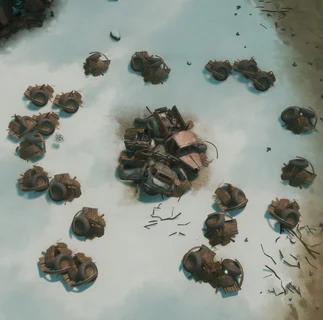 Salvage Field
Checking current war sites…
Rare Metal may drop while gathering salvage. Drops are not guaranteed; collect the required amount and keep it separate from ordinary resources.
Collect: 2 × Rare Metal
Recipe and source on the wiki ↗ - 2Harvest / obtain
Salvage
Salvage
Salvage FieldChecking current war sites…
Find a Salvage Field on the map. Gather with a hammer, sledgehammer or harvester and load the raw material into your vehicle.
Collect: 100 × Salvage
Recipe and source on the wiki ↗ - 3Craft / upgrade
Construction Materials
Construction Materials · cmats

 Materials Factory
Materials Factory
Checking current war sites…
Find an operational Materials Factory. Load raw materials, press E and start the required recipe. Check power and collect the finished materials from the queue.
Bring to this step
100 × SalvageResult: 10 × Construction Materials
Power required: 2 MW. This is power, not resource consumption.
Time per cycle: 25 seconds · recipe cycles: 10 Queues and travel take additional time.
Recipe and source on the wiki ↗ - 4Craft / upgrade
Rare Materials

 Metalworks Factory · Blast Furnace
· this specific upgrade is required
Checking current war sites…
Bring the listed resources to Metalworks Factory · Blast Furnace. Open the building interface, select this recipe and start production. Check the required upgrade and power supply; then collect the output.
Bring to this step
2 × Rare MetalResult: 2 × Rare Materials
Power required: 10 MW. This is power, not resource consumption.
Time per cycle: 180 seconds · recipe cycles: 2 Queues and travel take additional time.
Recipe and source on the wiki ↗ - 5Craft / upgrade
Lodesman's Lorica
 Infantry Kit Factory · Special-Issue Firearms Assembly
· this specific upgrade is required
Checking current war sites…
Bring the listed resources to Infantry Kit Factory · Special-Issue Firearms Assembly. Open the building interface, select this recipe and start production. Check the required upgrade and power supply; then collect the output.
Bring to this step
2 × Rare MaterialsResult: 1 × Lodesman's Lorica
Power required: 4 MW. This is power, not resource consumption.
Time per cycle: 120 seconds Queues and travel take additional time.
Recipe and source on the wiki ↗


If the output is a crate, deliver it to a base and submit it to unpack individual items. For further production, materials must be in the form accepted by the recipe.
Where to deliver finished crates
Submit to a base — unpack for players
Drive to the base and open its menu with E, right-click the crate in your inventory and choose Submit to Stockpile. For all crates, use Submit All to Stockpile. The crates unpack and their contents enter the base’s public stockpile.
Store at a depot or seaport
In Storage Depot or Seaport crates remain packed. For Legion supplies, open the correct Reserve Stockpile using its code. Before submitting, make sure you selected it rather than the public stockpile. Only crates marked Reservable may enter a reserve: check the item tooltip. Reserves expire, so monitor and refresh their timers.
Submitting to public stock irreversibly removes reservability. The crate becomes public. You can retrieve it, but cannot put it in a private stockpile again, even at another depot. Check the selected stockpile before submitting.
Sources: submitting to bases, crates, reservability. Vehicle crates use separate unpacking rules; the instructions above concern item crates.
Recipes and images: Foxhole Wiki. Wiki — CC BY-NC-SA 4.0; game images belong to Siege Camp. Game updates may change these data.